Adding clients, deals, and projects yourself
Not every opportunity starts in a connected inbox. A prospect may call, a returning customer may request more work, or you may start an internal project. The manual flow uses the same three-object model as the automated one.
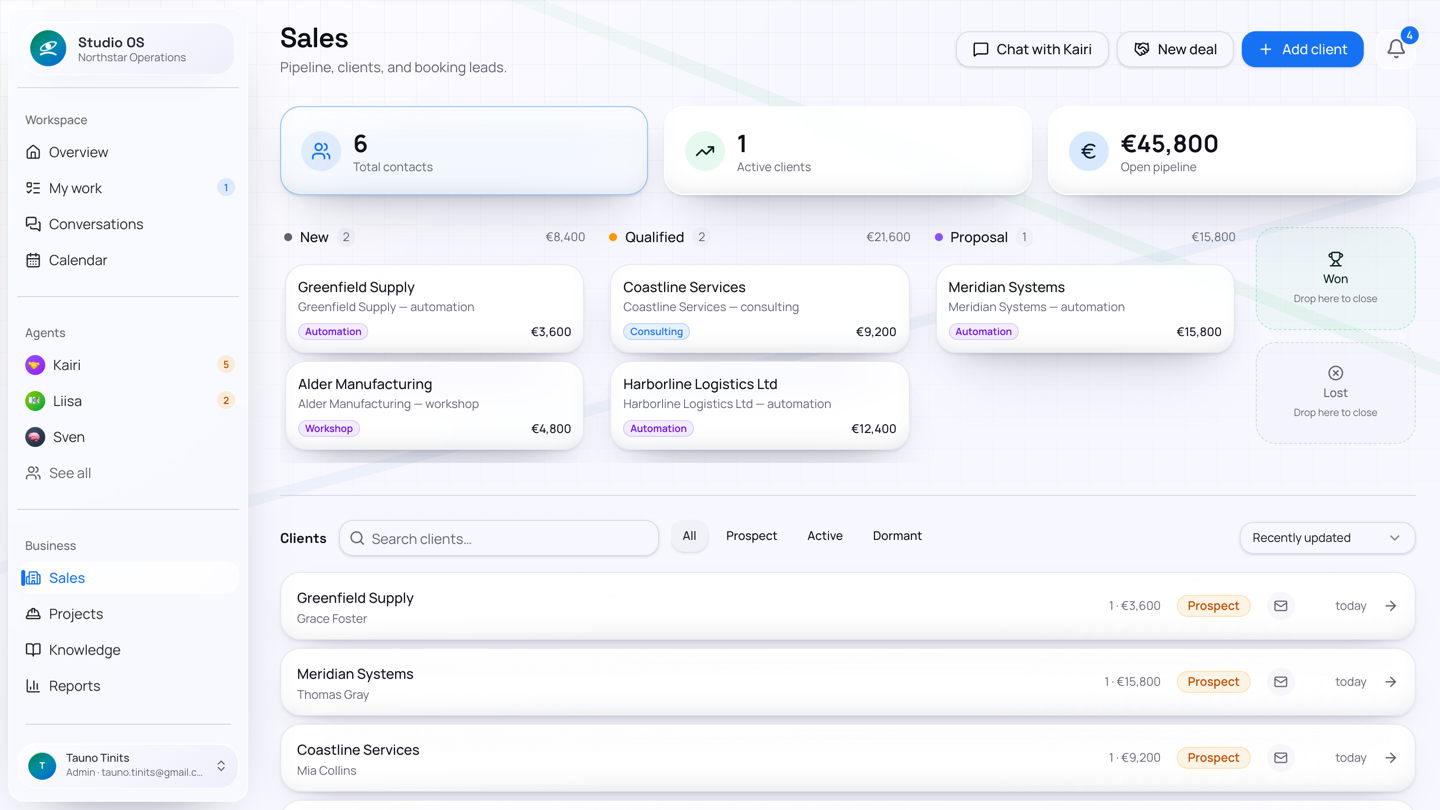
Add a client—the lasting relationship
On Sales, choose Add client. Enter the contact name and email; company, phone, and notes are optional. Saving creates only the permanent client record. It does not quietly invent pipeline value or a deal.
On the client page you can add more contacts. Studio OS uses those addresses when matching future mail, so several people from one company can belong to one client instead of creating duplicates.
Open a deal—the opportunity
Choose New deal on the Sales board or on a client's Deals card. Select the client and enter the deal title, description, category, and estimated value. The deal appears in the open board:
New → Qualified → Proposal → Won / Lost
Drag open deals between stages. Drop a deal on Won or Lost to close it; closed deals leave the open board but remain in the client's history.
For a normal delivery category, winning a deal automatically creates one linked project and hands it to Madis. If that automatic step was interrupted, the won deal's history row offers Create project and remains idempotent—clicking it cannot create a second project for the same deal. Workshop and retreat categories are handled like any other deal.
Create a project directly—the work
On Projects, choose New project when work should start without a sales deal. You can create:
- a client project, optionally linked to an existing client;
- a retainer project, which must be linked to a client, for recurring delivery and billing; or
- an internal project, owned by your own company.
See the retainer example for periods, included hours and billing.
Set its name, type, initial status, address, due date, and notes. A directly created project has no won-deal brief unless you supply the context yourself, so use the deal flow for customer work where the accepted scope matters.
Which one should I create?
| If you need to record… | Create… | Then… |
|---|---|---|
| A company or person you may work with repeatedly | Client | Add contacts and open deals as opportunities arise |
| A possible sale, renewal, or expansion | Deal on an existing client | Move it through the Sales board; winning creates delivery |
| Concrete delivery or internal work already authorised | Project | Plan phases and tasks directly |
One client can have many contacts, deals, and projects. A deal belongs to one client. A project may come from one won deal, be linked directly to a client, or be internal.